

Use the Rounding control to soften the corners of supported elements in your design. You can apply the same rounding to every corner, or adjust each corner separately for a custom shape.
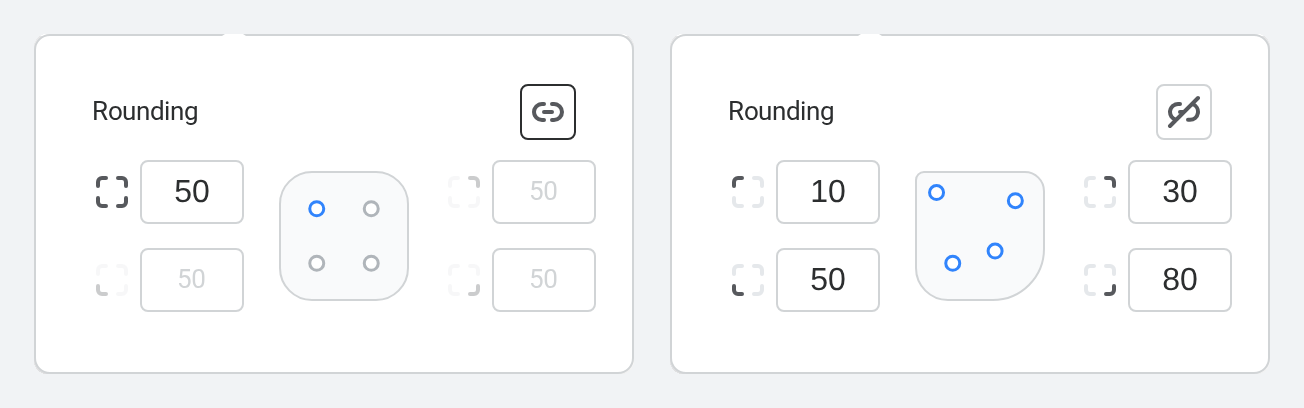
How to round an element
- Select the element you want to edit.
- Select Rounding in the Actionbar.
- Drag the corner handles, use the number fields, or enter a value to adjust the rounding.
- Keep the corners linked to apply the same value to all corners, or select the link icon to adjust each corner separately.
When corners are unlinked, each corner can have its own value. This is useful for creating custom labels, cards, image frames, and other shaped design elements.