

Easil’s Align tools help you line up text, images, graphics, groups, and other elements. You can align one element to the page, align several elements with each other, or move a selection into position as one arrangement.
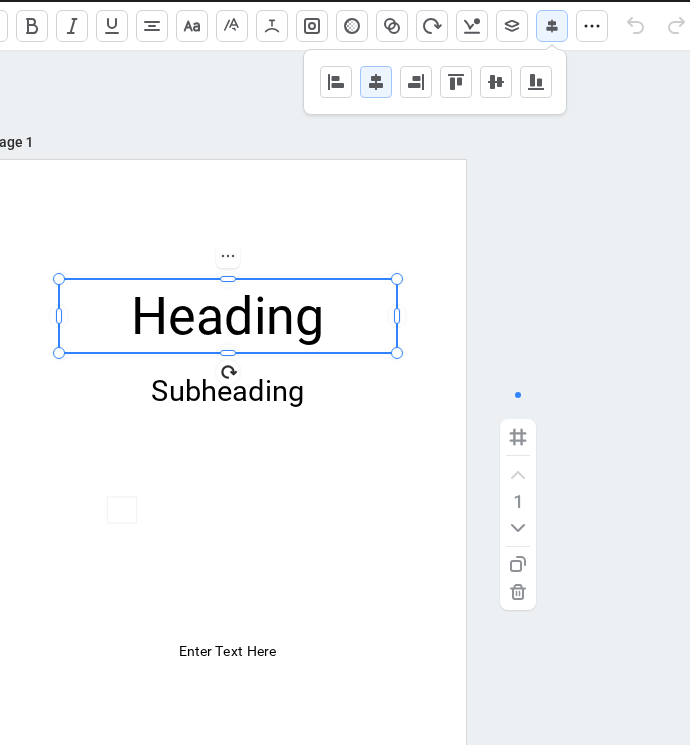
Align one element to the page
- Select the element you want to position.
- Open Align in the Actionbar.
- Choose Left, Center, Right, Top, Middle, or Bottom.
With one element selected, Easil aligns it directly to the chosen edge or centre of the page.
Align multiple elements
- Select two or more elements you want to line up.
- Open Align in the Actionbar.
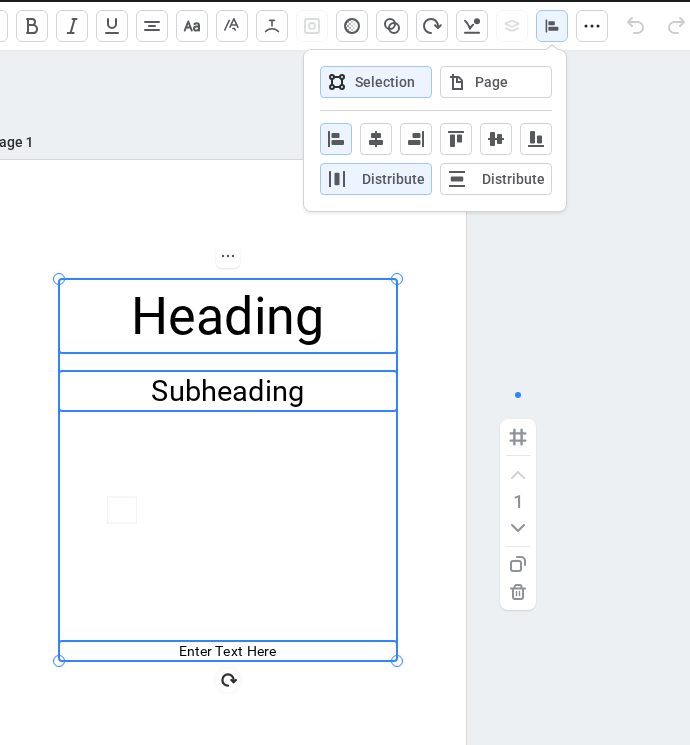
- Choose an alignment target:
- Selection lines up the selected elements with each other. This is the default.
- Page moves the full selection to an edge or centre of the page while keeping the arrangement between the elements unchanged.
- Choose Left, Center, Right, Top, Middle, or Bottom.
If you close and reopen Align, or change which elements are selected, the target returns to Selection.
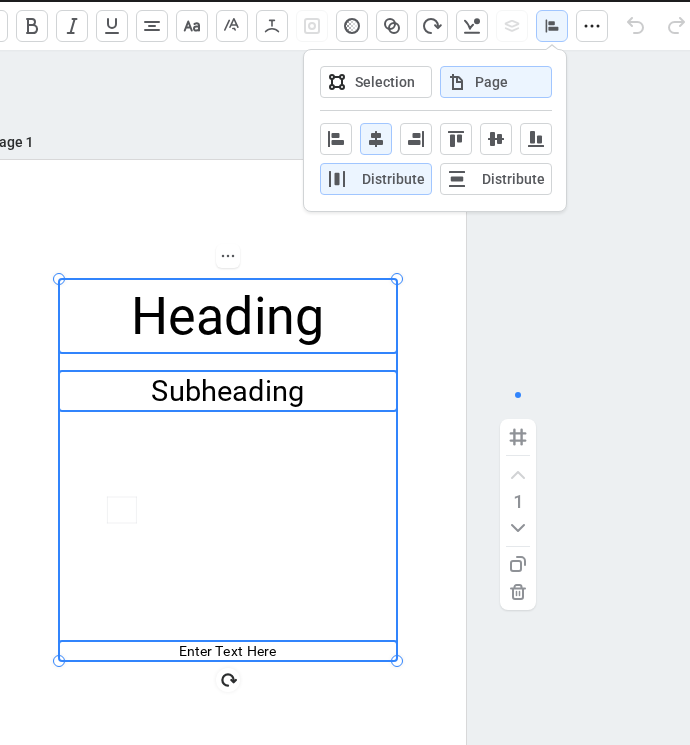
Choose Page in the same popout to position the whole arrangement against the page.
Distribute elements evenly
The horizontal and vertical Distribute options appear when three or more elements are selected.
- Select at least three elements and open Align.
- Choose Selection to space the elements evenly within their current outer boundaries, or choose Page to distribute them across the full width or height of the page.
- Choose Distribute Horizontally or Distribute Vertically.
Use Align on mobile
With multiple elements selected on mobile, tap Align in the bottom Actionbar. Selection and Page appear first in the panel. Swipe horizontally to reach all alignment and distribution controls when they do not fit on screen.